
Sarasvatī Vandana
Saraswati EDU
शिक्षाले नै परिवर्तन ल्याउँछ
ॐ सरस्वती महाभागे विद्ये कमललोचने।विश्वरूपे विशालाक्षि विद्यां देहि नमोऽस्तुते॥
Screens
Real screenshots from the running demo. Mobile and tablet layouts match the web layouts you see here.
Screenshot #1
/portal-tour/student/dashboard-young-2026-05-27.webp
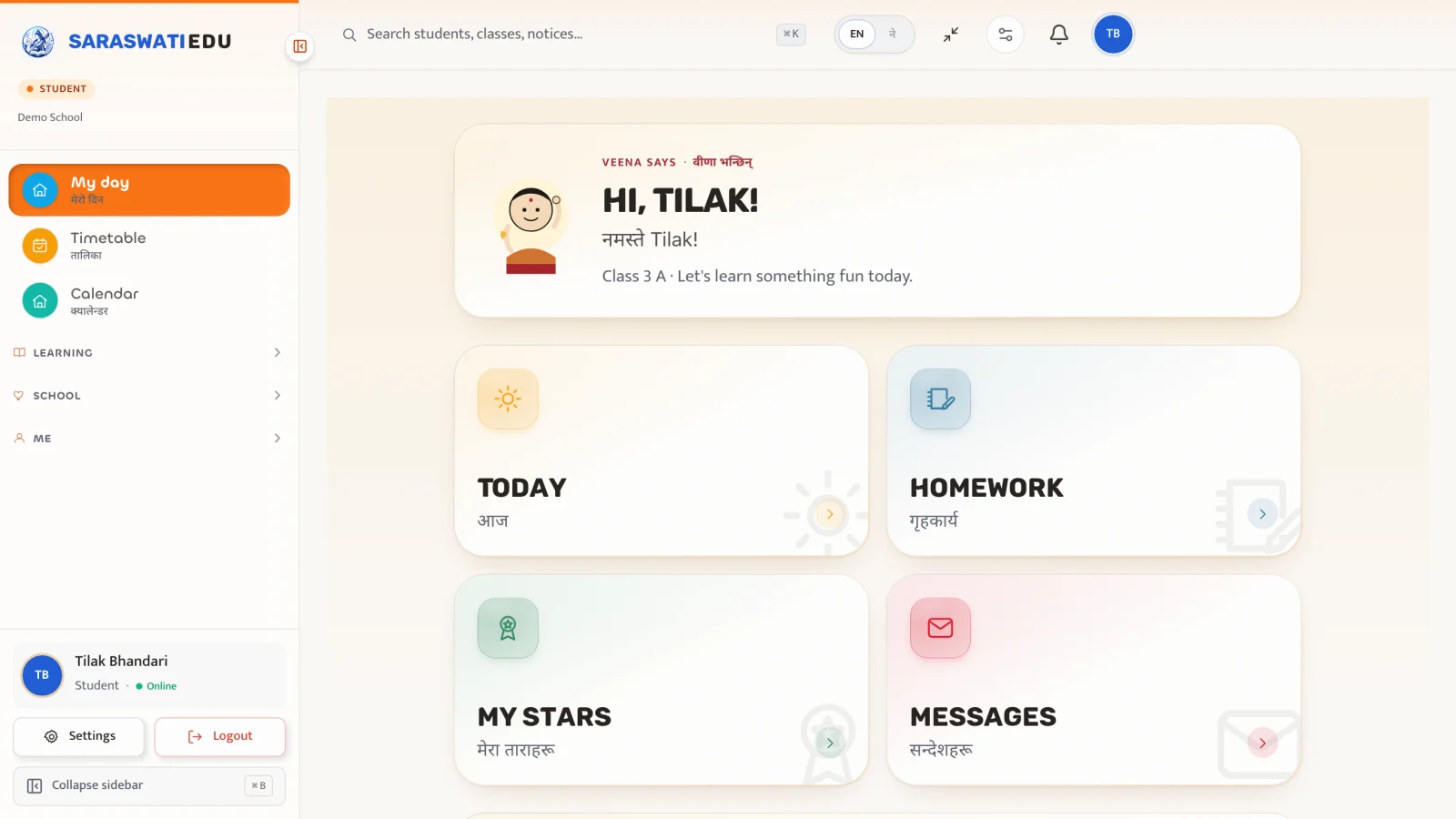
Below Grade 5 — friendly dashboard· कक्षा ५ भन्दा सानो — सजिलो ड्यासबोर्ड
Large icons, fewer numbers, audio prompts for early readers. Devanagari labels appear alongside English by default.
Screenshot #2
/portal-tour/student/dashboard-2026-05-27.webp
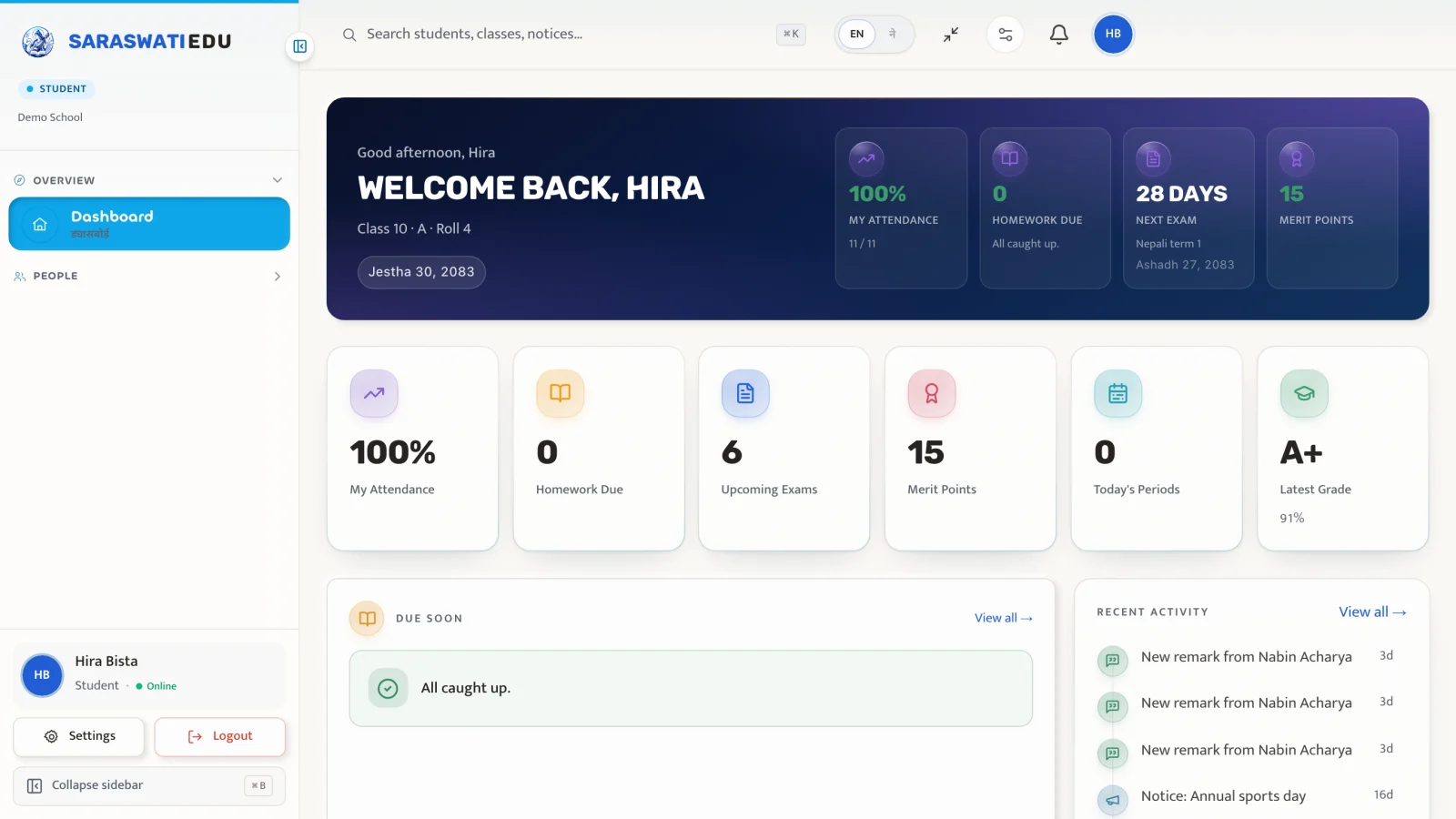
Above Grade 5 — full dashboard· कक्षा ५ भन्दा माथि — पूर्ण ड्यासबोर्ड
Today's classes, pending homework, upcoming exams and progress charts on a single screen — designed to fit a 412 px phone without horizontal scroll.
Screenshot #3
/portal-tour/student/timetable-2026-05-27.webp
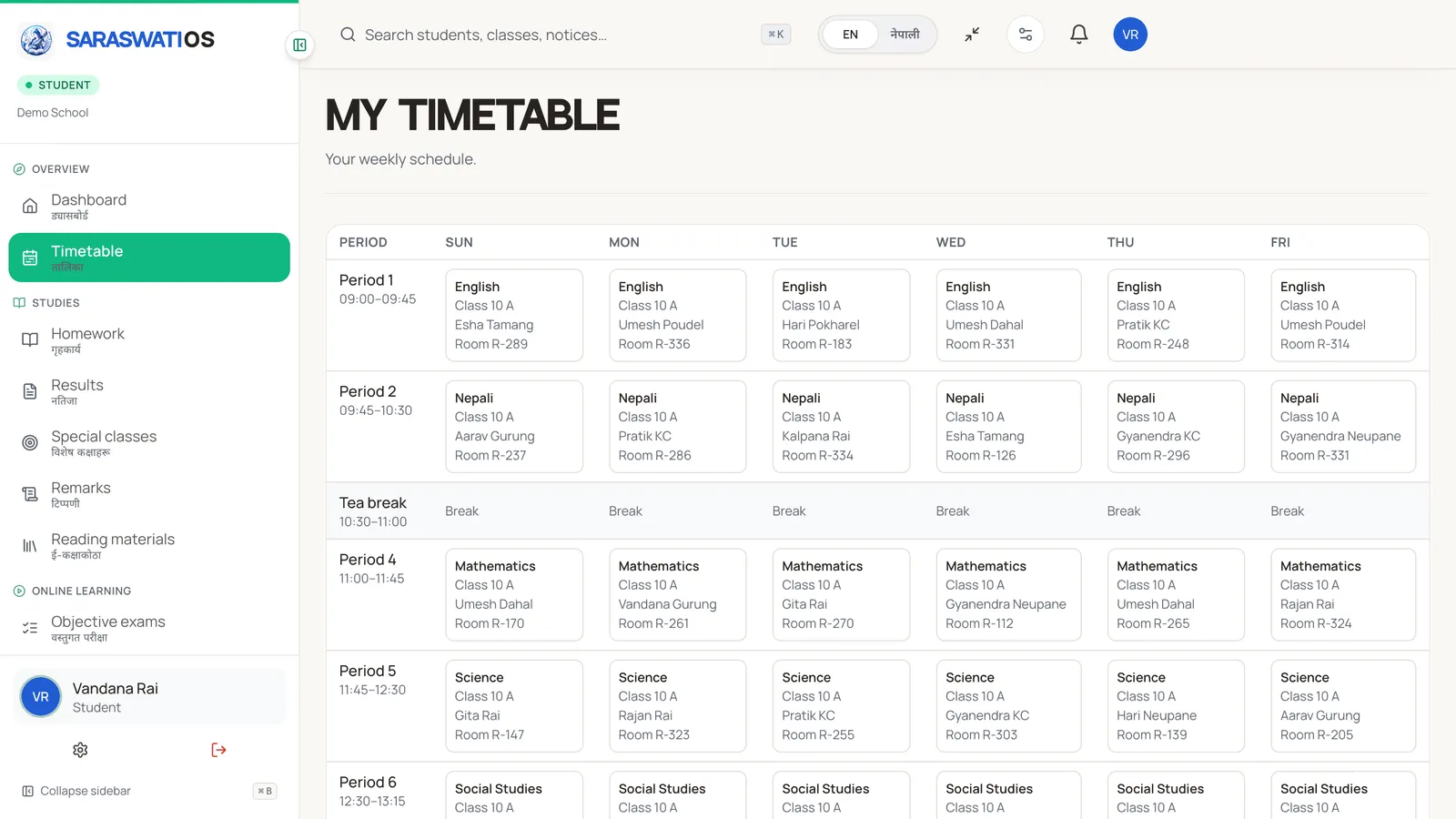
Today's schedule· आजको तालिका
Period-by-period view with subject, room and teacher — pulled live from the school's master timetable so substitution edits propagate instantly.
Screenshot #4
/portal-tour/student/homework-2026-05-27.webp
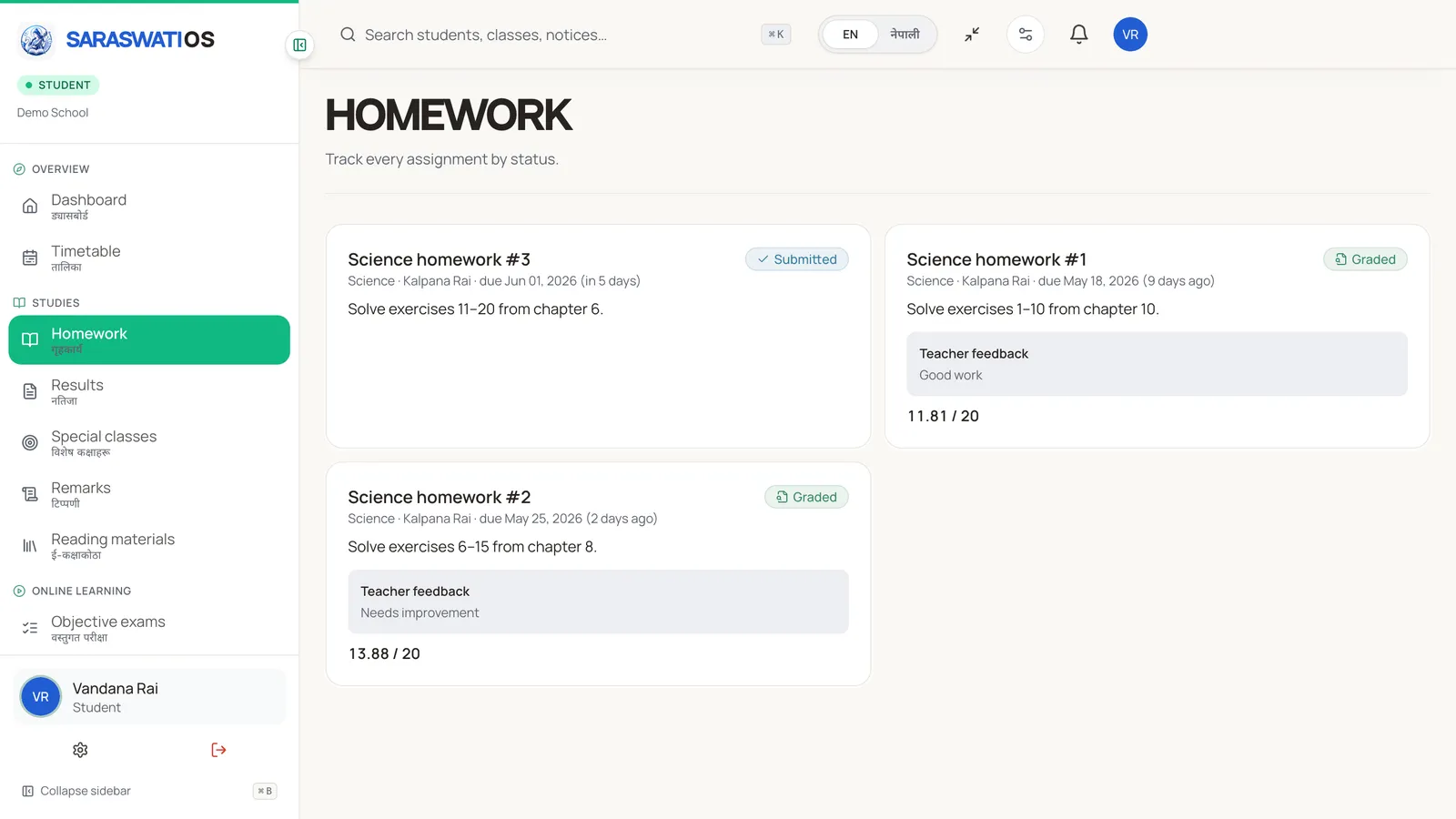
Homework inbox· गृहकार्य
Pending assignments lead; submitted ones move to a quieter Done tab. One-tap submit works on a 2G phone with intermittent signal.
Screenshot #5
/portal-tour/student/results-2026-05-27.webp
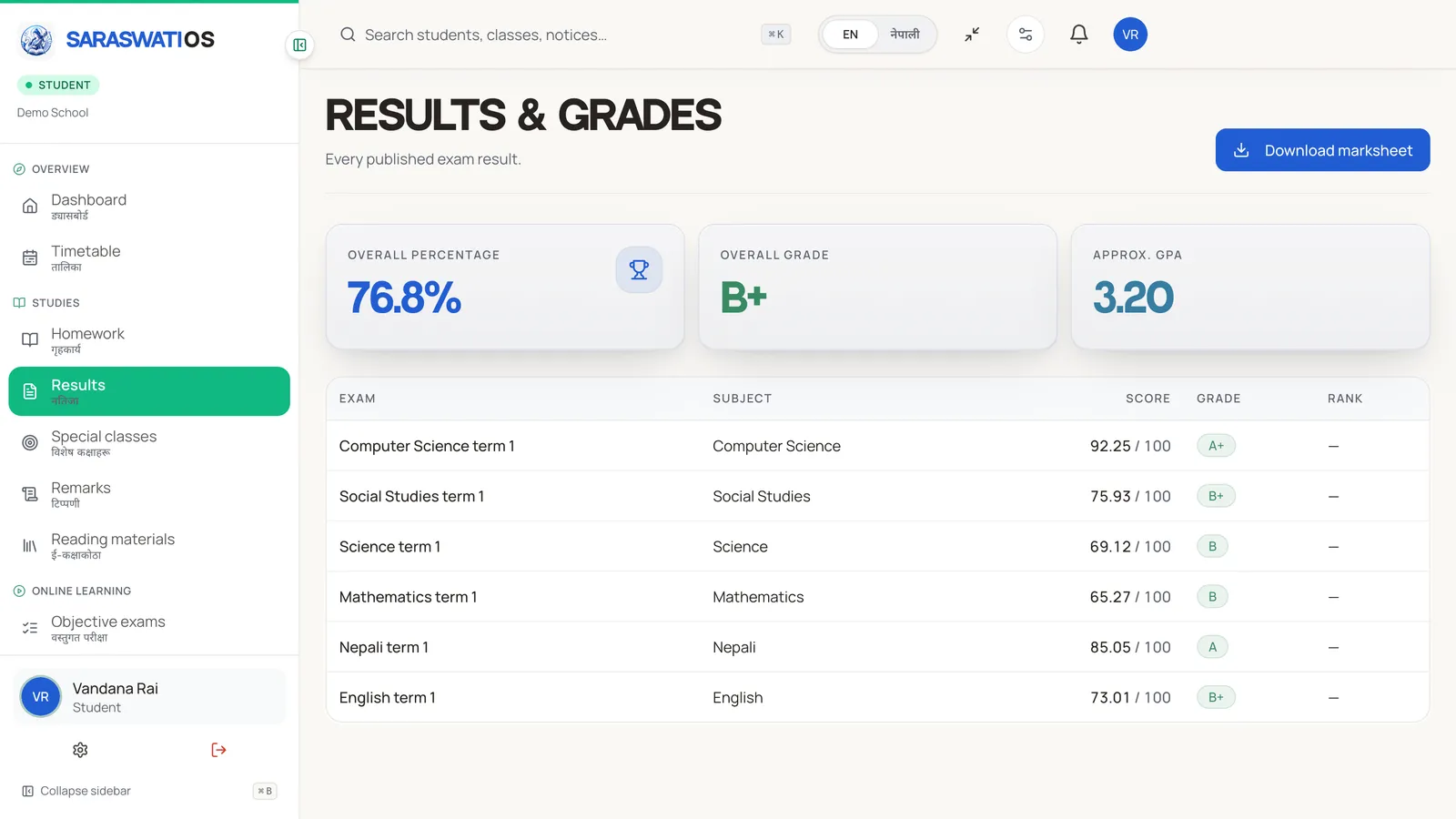
Results & grades· नतिजा र अंक
Only published exams show here — draft marks are gated server-side. Subject-wise breakdown, term comparison and downloadable report cards.
Screenshot #6
/portal-tour/student/ai-assistant-2026-05-27.webp
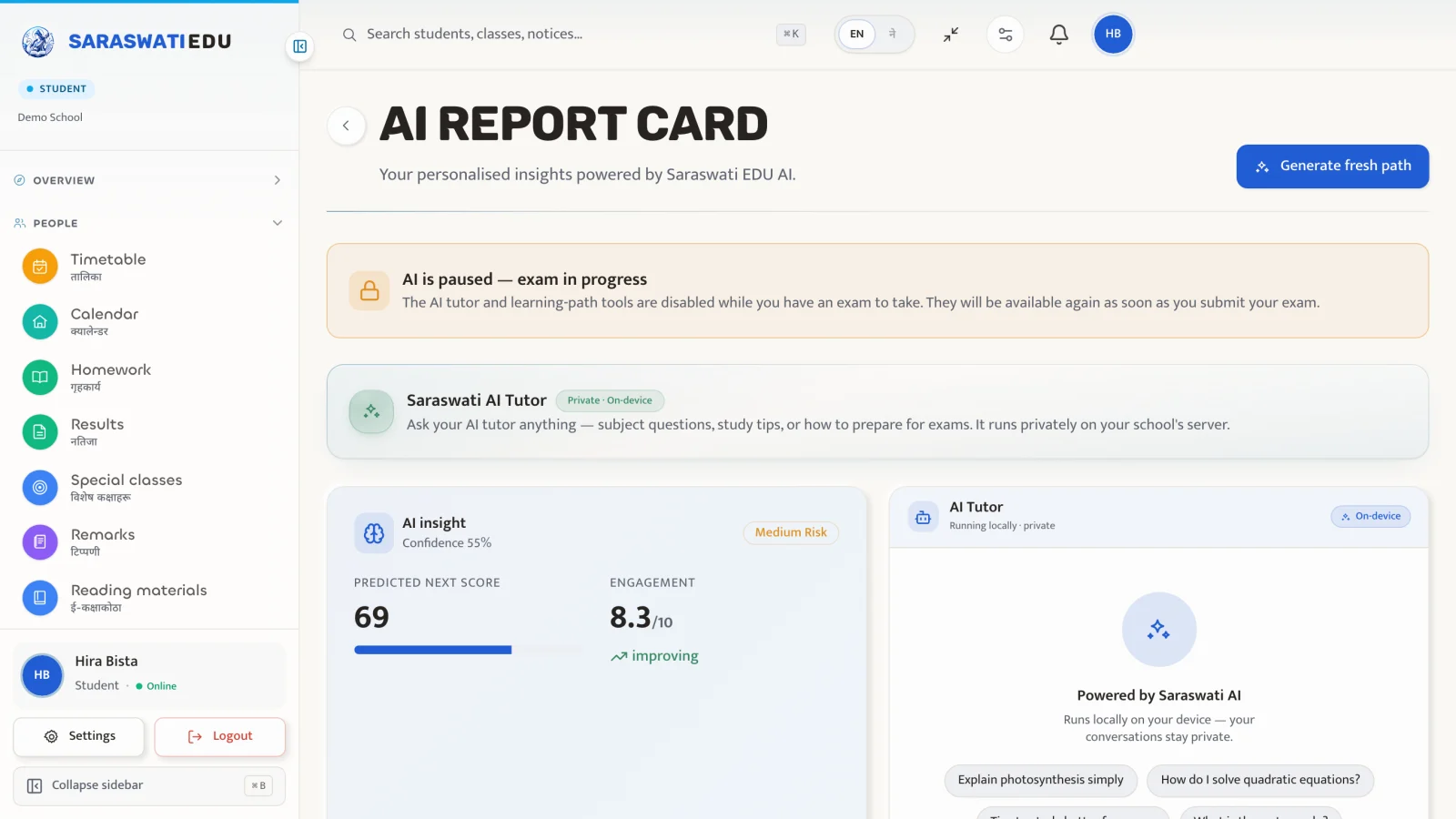
Saraswati AI tutor· साथीसुलभ ट्युटर
Ask in English or नेपाली. Runs on the school's own server — no student data ever leaves the tenant. Pauses automatically during exams.
Features in depth
हरेक दिन
Today's schedule
Subject, period, room and teacher — all from the school's live timetable.
Homework inbox
Pending assignments first; submitted ones move to a quieter "Done" tab.
Attendance check-in
If a teacher hasn't marked you yet, a one-tap self-attendance request goes to them.
हरेक हप्ता
Progress chart
Continuous-assessment scores plotted across subjects — one chart per child, not per exam.
Merit / demerit feed
See positive points and corrective notes with the teacher's reason attached.
Library borrowings
Books out, due dates and renew button — no separate library system.
जब आवश्यक हुन्छ
Anonymous report
Voice or text to the school admin without revealing your name or IP.
Leave request
File a leave request that your parent confirms before it reaches the class teacher.
Exam results
Visible only after the teacher publishes them; locked exams cannot be edited silently.
The demo school is pre-seeded with a year of academic, attendance, fee and message data. Sign in with the chip below or use the email shown above.